
System Rings widget
by deskdash · v0.1.2 · 64 downloads
Widgets install from inside DeskDash.
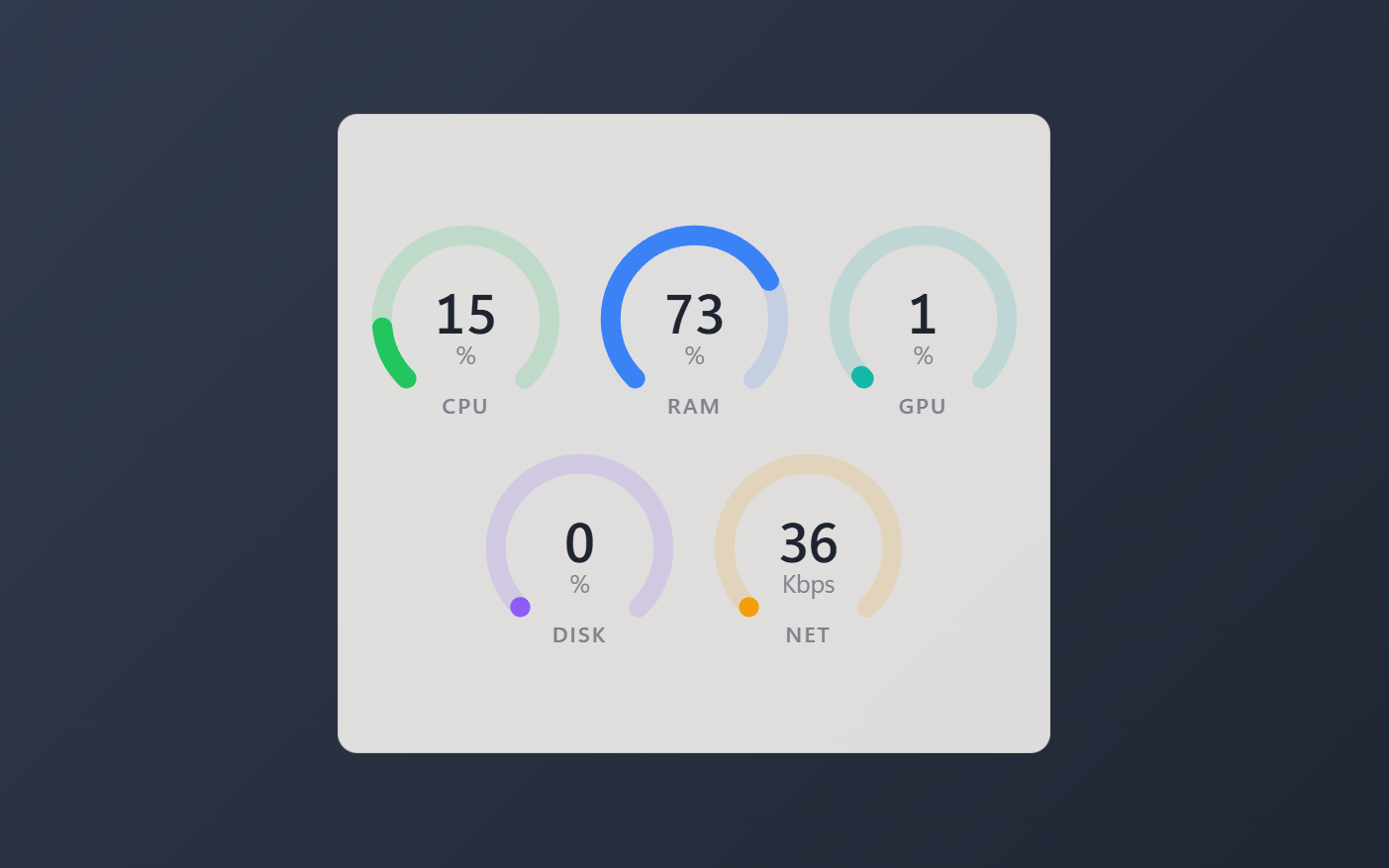
CPU, RAM, GPU, disk and network as live three-quarter radial gauges, current value only
- One three-quarter gauge per metric, value in the middle, sweeping to each new reading
- Current state only: no history buffers, no graphs
- Gauges re-arrange to whatever layout makes them biggest for the tile's shape
- CPU, RAM, GPU, disk and network toggle individually; GPU and disk hide when unsupported
- Thin, medium or thick rings; per-metric chart colors or one accent or custom color
About this widget
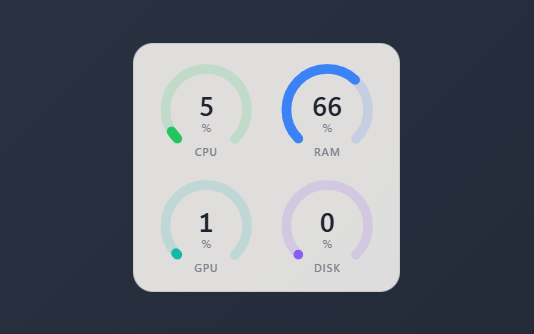
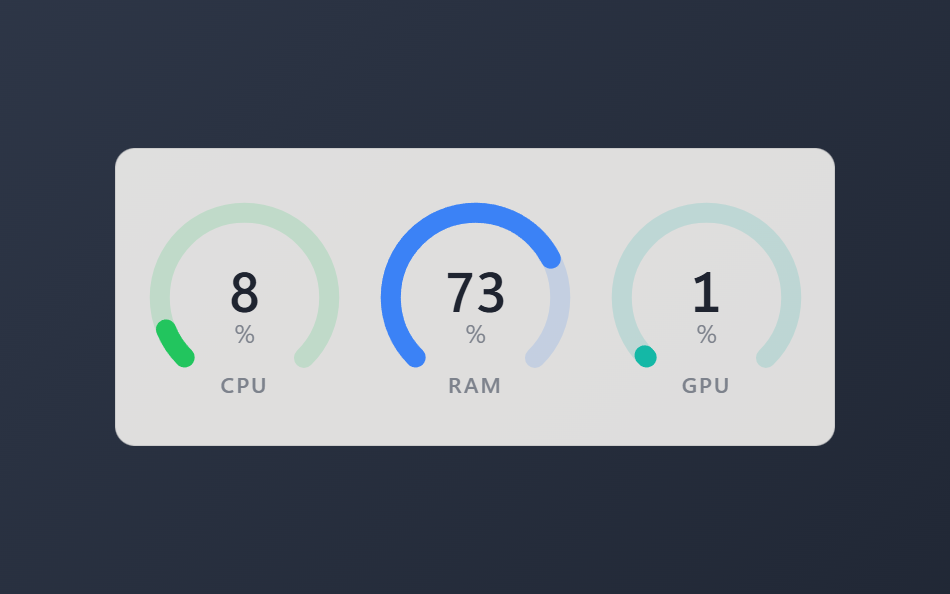
System Rings reads the machine at a glance: one three-quarter gauge per metric, the number in the middle, sweeping to each new reading from the host's 1Hz sampler. Current state only, no graphs and no history to squint at.
The gauges arrange themselves. They are square, so the widget picks whichever layout makes them biggest for the shape you gave it: a row across a wide bar, two by two in a boxy tile, stacked in a narrow one, and every line stays centered.
CPU, RAM, GPU, disk and network each toggle on or off, and GPU or disk hide themselves on machines that report neither instead of drawing a dead ring. Choose the ring thickness, keep the per-metric chart colors or paint every ring one accent or custom color, and the whole tile follows your theme. The network ring is off by default and scales against a link speed you pick.
What it can access
- system
Reads system stats like CPU, memory and battery
Settings you can adjust
- Title (blank = no header)
Free text
- Show CPU
On or off
- Show RAM
On or off
- Show GPU
On or off
- Show disk
On or off
- Show network
On or off
- Network full scale (Mbps)
One of: 10, 100, 1000
- Ring thickness
One of: thin, medium, thick
- Color each ring by metric
On or off
- Use theme accent color
On or off
- Custom color
A color of your choice
- Panel style
One of: none, solid, transparent, image
- Background image
A file you pick
- Image fit
One of: cover, contain
Details
- Version
- v0.1.2
- Size
- 8 KB
- Uploaded
- 25 Jul 2026
- Last updated
- 17 Oct 2026
Version history
- v0.1.2
- 17 Oct 2026 · 8 KB
- v0.1.1
- 10 Aug 2026 · 8 KB
- v0.1.0
- 25 Jul 2026 · 7 KB


