
Mic Mute widget
by deskdash · v0.1.0 · 0 downloads
Widgets install from inside DeskDash.
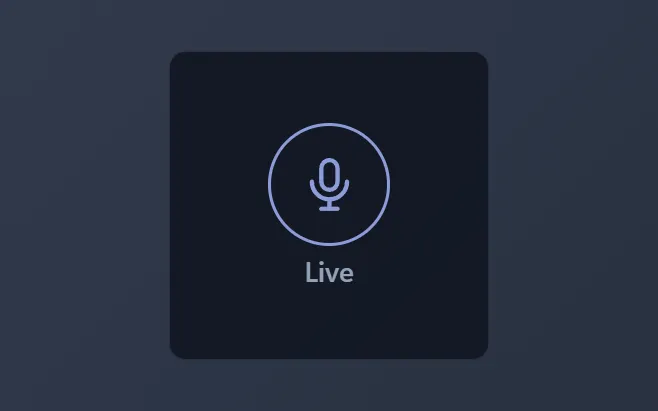
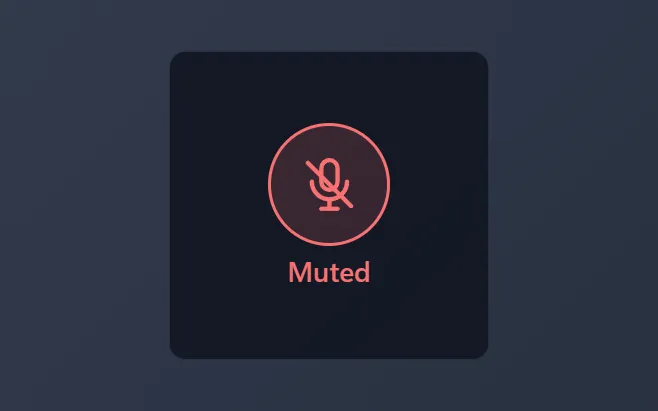
One click mutes or unmutes your microphone, and the button shows which state it is in
- One click mutes or unmutes the default microphone
- Clear live and muted colors you can read at a glance
- Follows mutes made in Windows, headsets and call apps
- Live color from your theme accent or a color you pick
- Optional state word under the button
About this widget
Mic Mute puts your microphone on the desktop as one round button. Click it to mute, click it again to go live. The button and the word under it change color with the state, so a glance tells you whether the room can hear you before you start to talk.
The state follows Windows itself: mute the microphone from Quick Settings, a headset button or a call app, and the button changes within a second. On a PC with no microphone the button says so and does nothing.
The live color follows your theme accent or a color you pick, and the state word can be turned off for a cleaner tile.
What it can access
- system
Reads system stats like CPU, memory and battery
- systemControls
Changes system settings such as volume, sound devices, Wi-Fi, Bluetooth and brightness
Settings you can adjust
- Show the state word
On or off
- Panel style
One of: none, solid, transparent, image
- Background image
A file you pick
- Image fit
One of: cover, contain
- Use theme accent color
On or off
- Custom color
A color of your choice
Details
- Version
- v0.1.0
- Size
- 5 KB
- Uploaded
- 5 Nov 2026
- Last updated
- 5 Nov 2026
Version history
- v0.1.0
- 5 Nov 2026 · 5 KB


