
App Strip widget
by deskdash · v0.1.2 · 65 downloads
Widgets install from inside DeskDash.
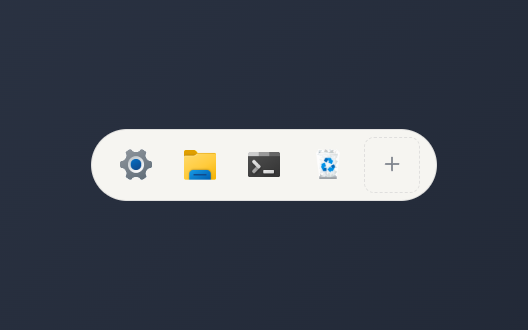
A pill strip of Windows system apps: Settings, Explorer and friends; + picks from the host catalog
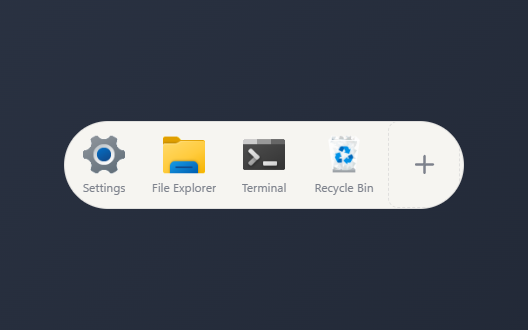
- Pill strip of one-click launchers for Windows system apps like Settings, Explorer, Terminal, and Recycle Bin
- Plus tile opens a picker to add or remove apps from the host catalog with checkmarks
- Your selection of apps is saved between sessions
- Optional text label under each icon
- Small, medium, or large icon size
About this widget
App Strip is a pill of launcher tiles for Windows system apps. It draws only from DeskDash's fixed app catalog, so it starts with Settings and File Explorer and you add the rest yourself; each tile launches its app on a single click.
The plus tile opens a small picker listing every app in the catalog with a checkmark beside the ones already on your strip; tick or untick to change the set, and your choices are saved between sessions. In settings you can show or hide a label under each icon and choose a small, medium, or large icon size.
What it can access
- storage
Saves its own data inside the dashboard
- systemApps
Opens system apps you pick for it
Settings you can adjust
- Show labels
On or off
- Icon size
One of: small, medium, large
Details
- Version
- v0.1.2
- Size
- 7 KB
- Uploaded
- 21 Jul 2026
- Last updated
- 17 Oct 2026
Version history
- v0.1.2
- 17 Oct 2026 · 7 KB
- v0.1.1
- 21 Jul 2026 · 6 KB
- v0.1.0
- 21 Jul 2026 · 6 KB


