
News Ticker widget
by deskdash · v0.1.2 · 27 downloads
Widgets install from inside DeskDash.
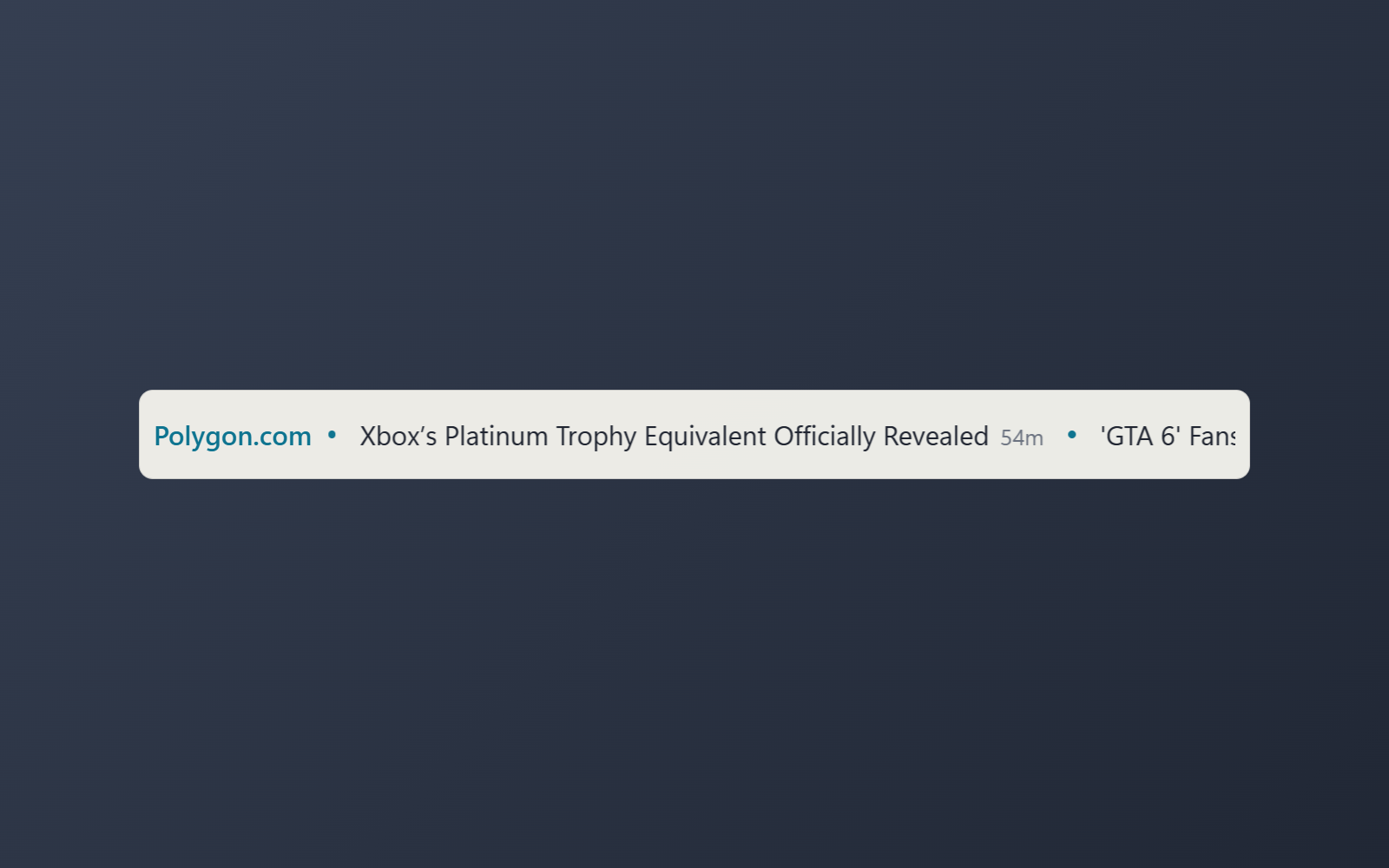
Headlines from a news feed you choose, moving across a slim strip
- Headlines from any RSS, Atom or JSON feed move across the strip in a seamless loop
- Hover to pause, click a headline to open the article
- Shows the feed name and how old each headline is
- Three speeds, and one headline at a time when motion is off
- Choose the refresh interval, accent color and panel style
About this widget
A slim strip for the edge of a screen that moves the latest headlines from a news feed across it, right to left, in a loop with no gap. Paste the address of any RSS, Atom or JSON feed into its settings: a news site, a blog, or a project's release feed. Hover the strip to hold it still, and click a headline to open the article in your browser.
The feed name sits at the left and every headline carries its age. DeskDash downloads the feed for the widget and checks it again on a schedule you set, and when motion is turned off or low performance mode is on, the strip shows one headline at a time instead.
You can set the feed address, the speed, whether the feed name and the ages show, how often it refreshes, the accent color, and the panel background style.
What it can access
- feeds
Reads news feeds from web addresses you enter in its settings and opens their articles when you click them
Settings you can adjust
- Feed address (RSS or Atom)
A web address you enter yourself
- Speed
One of: slow, normal, fast
- Show the feed name
On or off
- Show how old each headline is
On or off
- Refresh (minutes)
A number (5 to 120)
- Panel style
One of: none, solid, transparent, image
- Background image
A file you pick
- Image fit
One of: cover, contain
- Use theme accent color
On or off
- Custom color
A color of your choice
Details
- Version
- v0.1.2
- Size
- 8 KB
- Uploaded
- 17 Sept 2026
- Last updated
- 17 Oct 2026
Version history
- v0.1.2
- 17 Oct 2026 · 8 KB
- v0.1.1
- 30 Sept 2026 · 9 KB
- v0.1.0
- 17 Sept 2026 · 8 KB


