
Breaks widget
by deskdash · v0.1.0 · 0 downloads
Widgets install from inside DeskDash.
Reminders to stretch, rest your eyes and drink water, inside the hours you set
- Stretch, eye rest and water reminders, each on its own interval
- A reminder of your own with your text and interval
- Active hours and an optional weekdays-only schedule
- One-click pause for a length you choose
- Reminders keep their times while the widget is hidden
About this widget
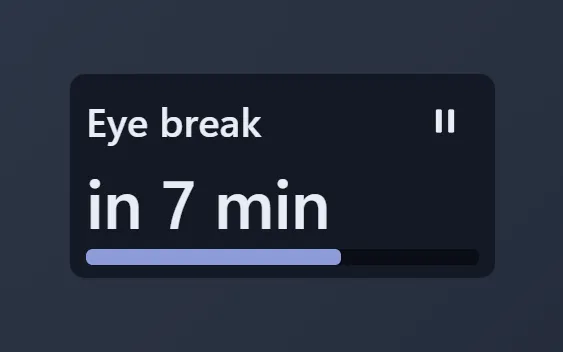
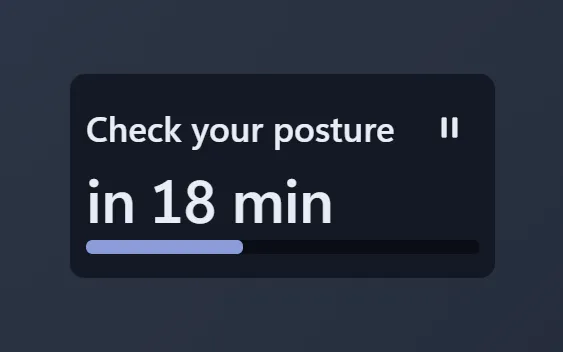
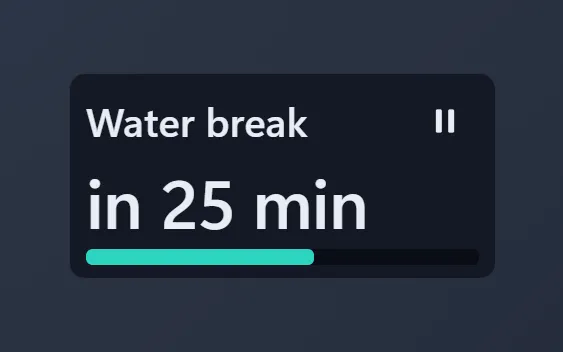
Breaks reminds you to look after yourself while you work. A small toast tells you when to stand up and stretch, when to rest your eyes with the 20-20-20 rule, and when to drink some water. Add a reminder of your own, like a posture check, with its own interval.
Each reminder has its own interval, and they all stay inside the hours you set, on weekdays only if you like. Reminders that fall on the same minute arrive as one toast, not a pile. The reminders come from DeskDash itself, so they keep their times while the widget is hidden and after a restart.
The tile shows the next break, how long until it comes, and a meter that fills on the way there. One click pauses every reminder for the length you choose, and a second click resumes them.
What it can access
- time
Reads the current time from the dashboard's clock
- storage
Saves its own data inside the dashboard
- notifications
Shows you reminders, even when the widget is hidden
Settings you can adjust
- Stretch reminders
On or off
- Stretch every (minutes)
A number (10 to 240)
- Eye rest reminders (the 20-20-20 rule)
On or off
- Rest your eyes every (minutes)
A number (10 to 240)
- Water reminders
On or off
- Drink water every (minutes)
A number (10 to 240)
- A reminder of your own
On or off
- Your reminder
Free text
- Your reminder every (minutes)
A number (10 to 240)
- Reminders from
A time of day you pick
- Reminders until
A time of day you pick
- Weekdays only
On or off
- Pause length (minutes)
A number (15 to 480)
- Panel style
One of: none, solid, transparent, image
- Background image
A file you pick
- Image fit
One of: cover, contain
- Use theme accent color
On or off
- Custom color
A color of your choice
Details
- Version
- v0.1.0
- Size
- 9 KB
- Uploaded
- 5 Nov 2026
- Last updated
- 5 Nov 2026
Version history
- v0.1.0
- 5 Nov 2026 · 9 KB


