
Orbit taskbar
by oss · v0.4.0 · 1 downloads
Taskbars install from inside DeskDash.
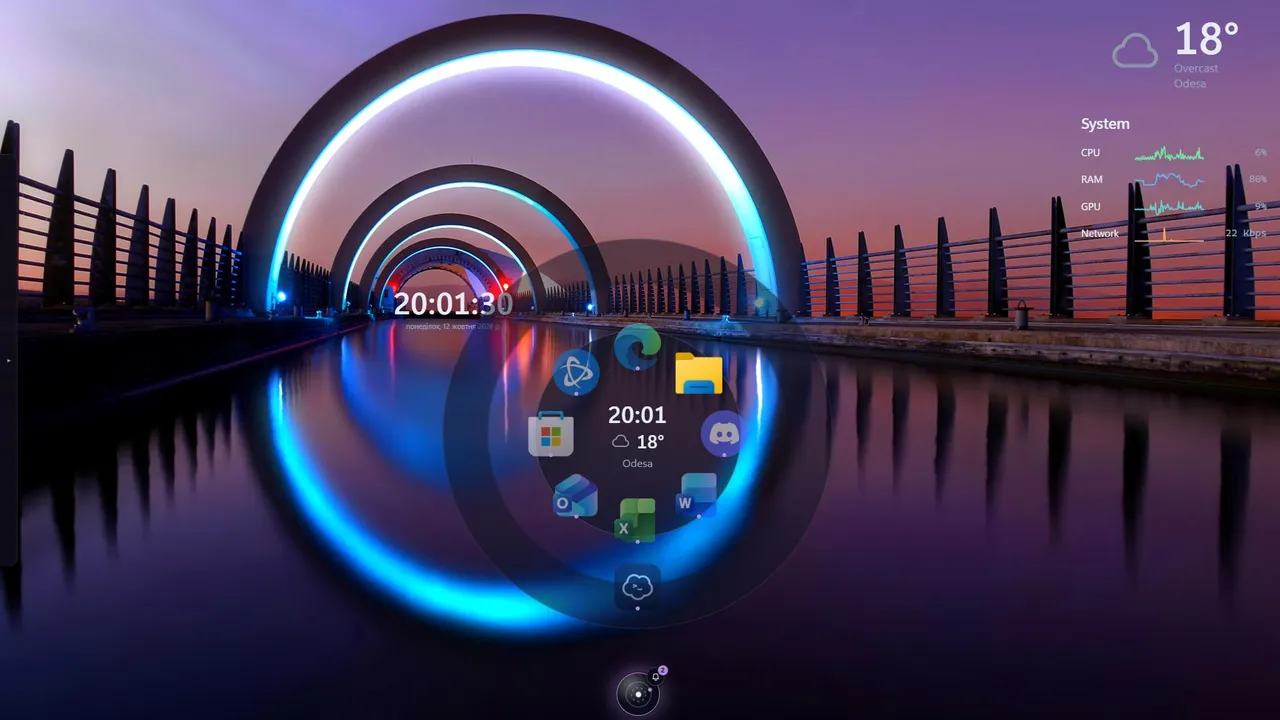
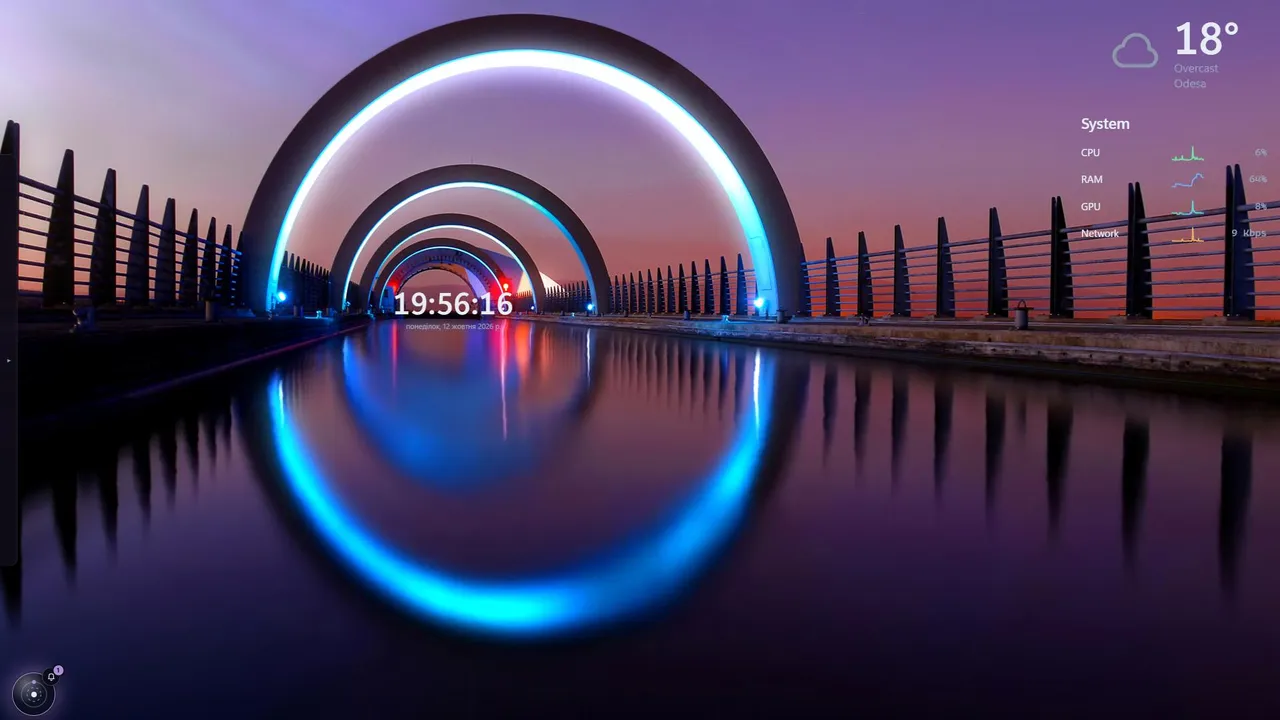
A taskbar with no bar: a glass orb in the corner that opens a ring of your apps, with the time and weather in the middle. Notifications dock on the orb as a small moon.
- A taskbar with no bar. Just a glass orb in the corner. No strip across the screen and no reserved space
- A ring of apps. Click the orb and your apps burst out onto a ring around it.
- Time and weather in the middle.
- Notifications that appear only when needed

About this taskbar
Orbit replaces the usual strip of buttons with a single glass orb that lives in a corner of your screen. It reserves no space, so maximized windows can use the full display, and in daily use you see only the orb.
Click it and a ring of your apps opens around it. The pinned apps you set up in DeskDash sit on the inner ring (up to 8), and running apps that are not pinned continue on an outer ring (up to 16 more). The icons fly out from the centre, the running ones are marked with a dot, and the focused one glows. Click an icon to launch or switch to the app. Right-click it for a small menu: open, new window, minimize (or minimize all), and, for apps with several windows, a list of their windows to jump to.
The middle of the ring is a quiet info panel. It shows the time, the weather for the city you choose (powered by Open-Meteo, in Celsius or Fahrenheit), and the name of whatever app you are hovering.
Notifications stay out of the way. A small moon docks on the orb’s rim only while Windows has notifications waiting, shows how many there are, and opens the notification centre when clicked. The orb glows softly in the accent colour while something is unread. With nothing to read, the moon is gone.
The Start button and the system tray caret are tucked away until you bring the pointer to the orb. They then fade in next to it without moving the orb.
You can dock the orb to the bottom, left or right edge, and place it at the start, centre or end of that edge. The text inside the ring is available in English, Russian and Ukrainian, and animations respect your system’s reduced motion setting.
What it can access
- internet
Talks to the internet, only to: geocoding-api.open-meteo.com, api.open-meteo.com
- taskbar
Reads your taskbar: open windows, pinned apps, the notification area and how many notifications you have
Settings you can adjust
- Show pinned apps
On or off
- Show the system tray
On or off
- Language
One of: English, Русский, Українська
- Orb position along the edge
One of: Start, Center, End
- Show the weather in the ring
On or off
- Weather city
Free text
- Temperature units
One of: Celsius, Fahrenheit
Details
- Version
- v0.4.0
- Size
- 16 KB
- Uploaded
- 13 Oct 2026
- Last updated
- 13 Oct 2026
Version history
- v0.4.0
- 13 Oct 2026 · 16 KB


