
Pulseglass Dock taskbar
by kaladindmp · v1.2.1 · 42 downloads
Taskbars install from inside DeskDash.
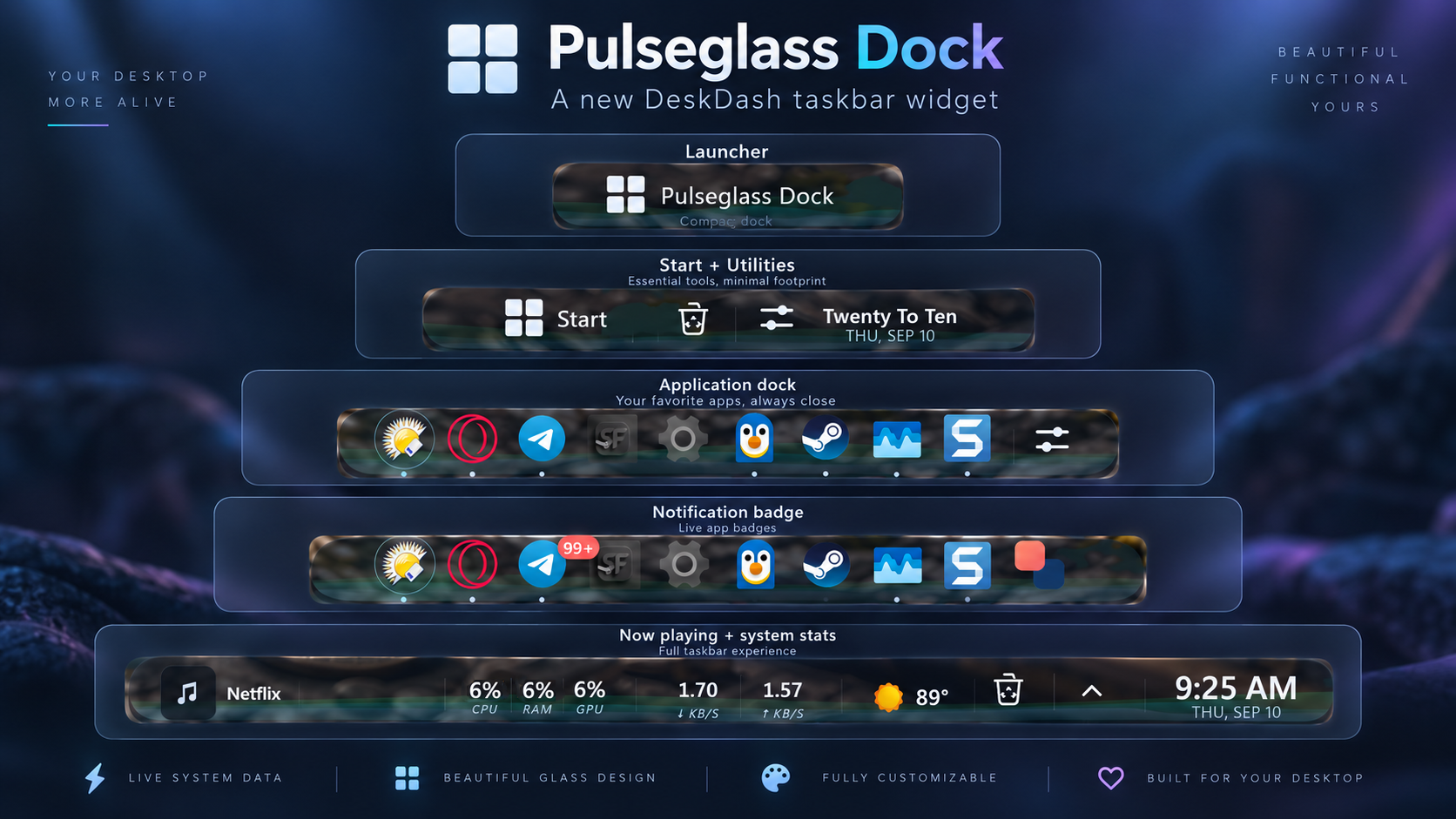
Pulseglass Dock is a living glass taskbar for DeskDash that reacts to music and system activity. Inspired by Aurora, rebuilt as a full desktop dock — with magnification, number vitals, a movable clock, a network readout and a now-playing deck.
- Living glass, reactive light - 3 segments carry a light field that ripples to your audio spectrum and CPU load.
- System at a glance - CPU, RAM and GPU as live number %s with your own warn/danger thresholds and colors, network too.
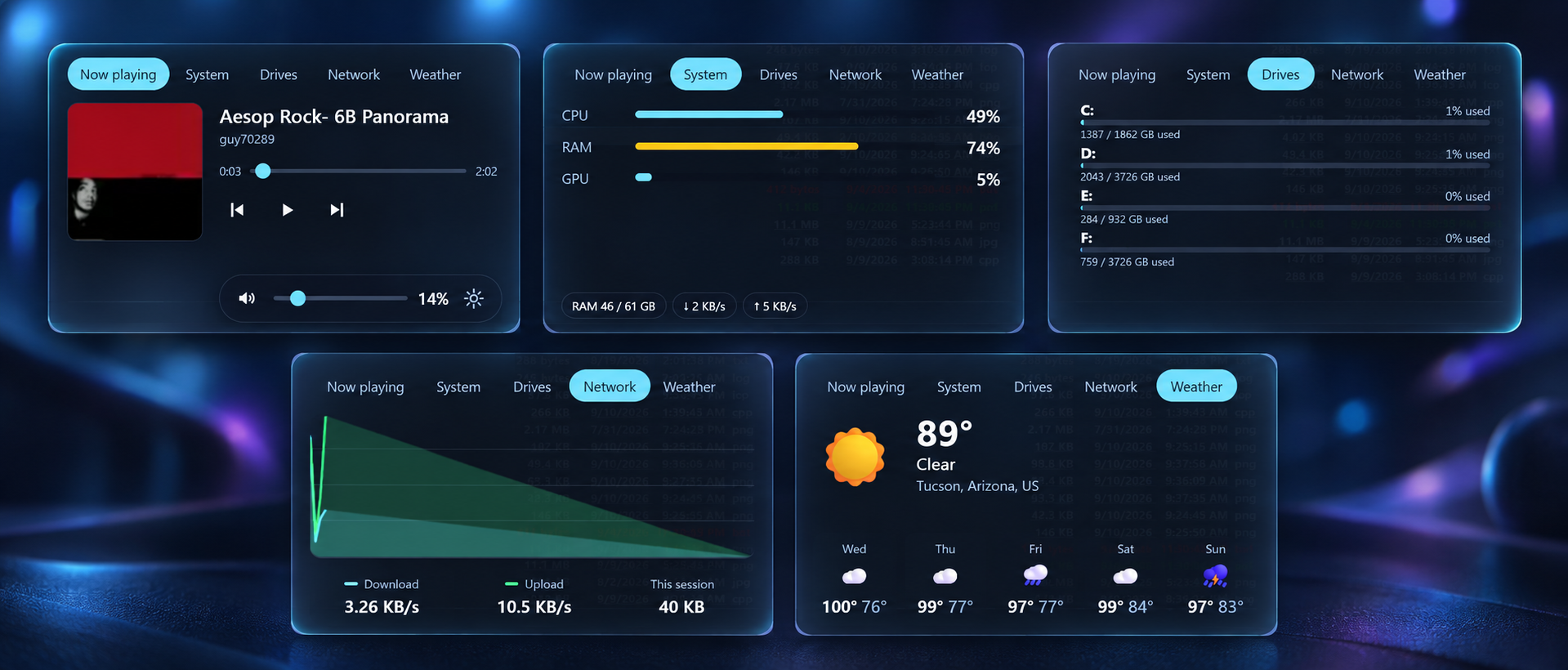
- Now-playing control deck - 1 tap opens transport, seek and volume, a live system panel, per-drive usage, and more!
- Make it yours - 5 clock faces, a movable Recycle Bin, a Tools launcher, and an optional weather chip + system tray.
- Built for the edge - glass that follows your DeskDash theme in light and dark, auto-hide, and separators.
About this taskbar
Pulseglass Dock is a living glass taskbar for DeskDash - inspired by Aurora, rebuilt as a full desktop dock. A soft light field ripples behind three glass segments, reacting to your music and CPU while the whole dock breathes on a gentle timer. Hover to magnify icons macOS-style, or switch it off - nearly everything can be tuned.
Read your system at a glance: CPU, RAM and GPU as live number percents with your own warning and danger colors, plus a network readout in MB/s, Mbps, or auto-scaling units. Tap the now-playing chip for a control deck with transport, seek and volume, a live system panel, per-drive usage, a scrolling network graph and a 5-day weather forecast.
Make it yours: tons of options to suit any taste, five clock faces (analog and worded included), a movable Recycle Bin, a Tools launcher, an optional weather chip and system tray, and per-item toggles for magnify and breathing. Glassy, reactive, and built to live at the edge of your desktop all day.
What it can access
- internet
Talks to the internet, only to: geocoding-api.open-meteo.com, api.open-meteo.com
- time
Reads the current time from the dashboard's clock
- audio
Reads audio levels (for visualizations)
- media
Sees what music or video is playing
- system
Reads system stats like CPU, memory and battery
- storage
Saves its own data inside the dashboard
- taskbar
Reads your taskbar: open windows, pinned apps, the notification area and how many notifications you have
- systemApps
Opens system apps you pick for it
- mediaControls
Controls media playback
- systemControls
Changes system settings such as volume, sound devices, Wi-Fi, Bluetooth and brightness
Settings you can adjust
- Show pinned apps
On or off
- Show the system tray
On or off
- Light field
One of: audio and vitals, audio, calm
- Open apps shown by
One of: dots, colour, colour + dots
- Start label
Free text
- Start position
One of: left edge, in the dock
- Recycle Bin
On or off
- Recycle Bin position
One of: in the dock, left edge, left of info, far right
- Tools button
On or off
- Tools button position
One of: in the dock, left edge, left of info, far right
- Magnification
One of: everything, apps only, off
- Magnify strength (%)
A number (0 to 100)
- Magnify reach (neighbours)
A number (1 to 6)
- Breathing pulse
One of: everything, icons only, off
- Breathe every (seconds, 0 = off)
A number (0 to 600)
- Clock
On or off
- Clock style
One of: standard, large, analog, worded, dual
- Clock position
One of: left edge (right), left edge (left), by info (left), far right
- 24-hour clock
On or off
- Show seconds
On or off
- Second time zone (IANA)
Free text
- Now playing chip
On or off
- Vitals (CPU / RAM / GPU)
On or off
- Warn above (%)
A number (1 to 100)
- Danger above (%)
A number (1 to 100)
- Network readout
On or off
- Network units
One of: MB/s, Mbps, Dynamic (KB/MB/GB), Dynamic (Kbps/Mbps/Gbps)
- Weather location (city)
Free text
- Weather units
One of: fahrenheit, celsius
- Weather in the taskbar
On or off
Details
- Version
- v1.2.1
- Size
- 33 KB
- Uploaded
- 11 Sept 2026
- Last updated
- 12 Sept 2026
Version history
- v1.2.1
- 12 Sept 2026 · 33 KB
- v1.2.0
- 11 Sept 2026 · 33 KB


