
Meridian taskbar
by oss · v0.4.0 · 6 downloads
Taskbars install from inside DeskDash.
A matte floating taskbar with springy icons, now playing, weather, PC stats, calendar and timer, volume by wheel, Wi-Fi and a show-desktop strip.
- A matte floating taskbar with springy icons, now playing, weather, PC stats, calendar and timer, volume by wheel.
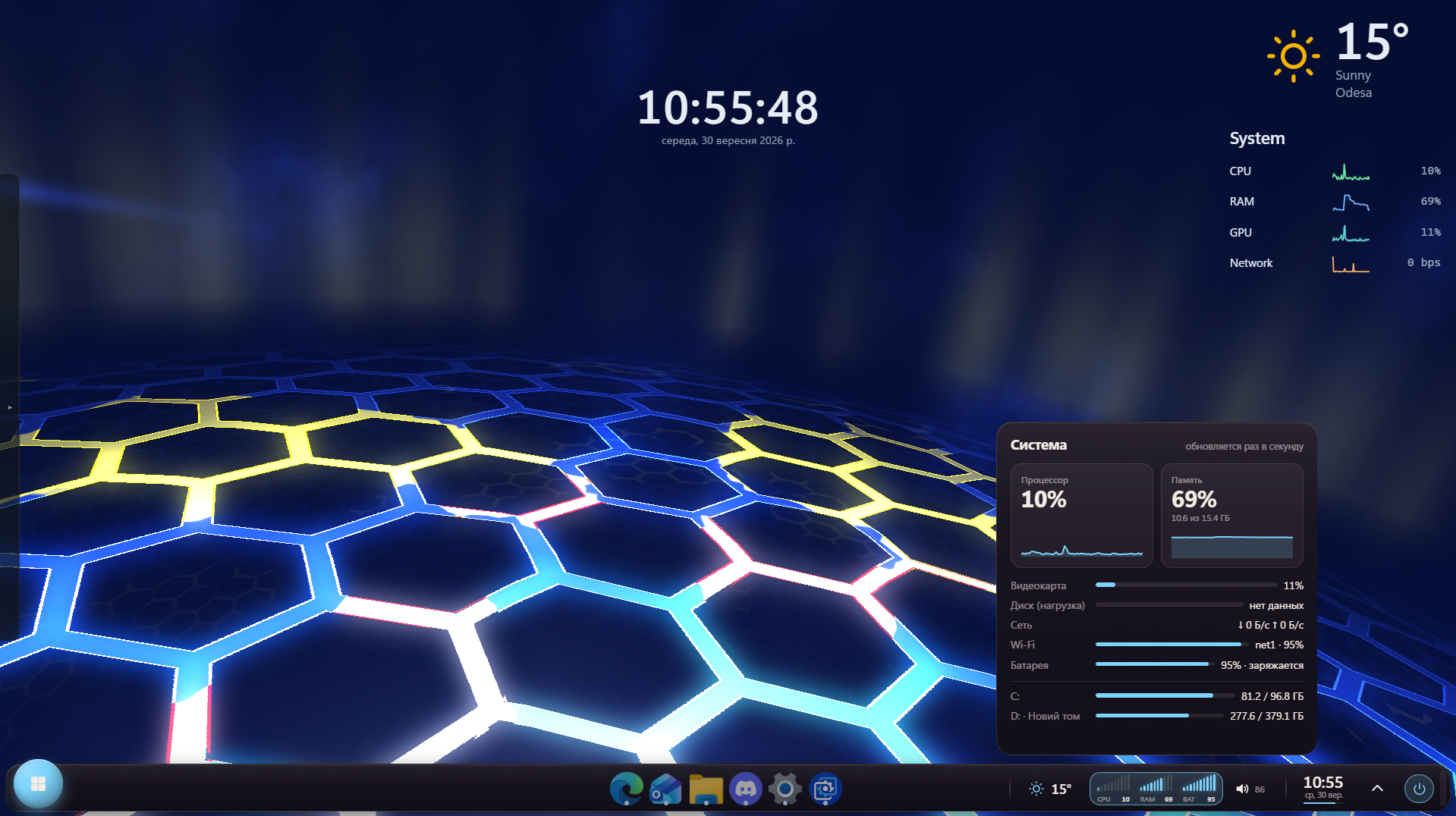
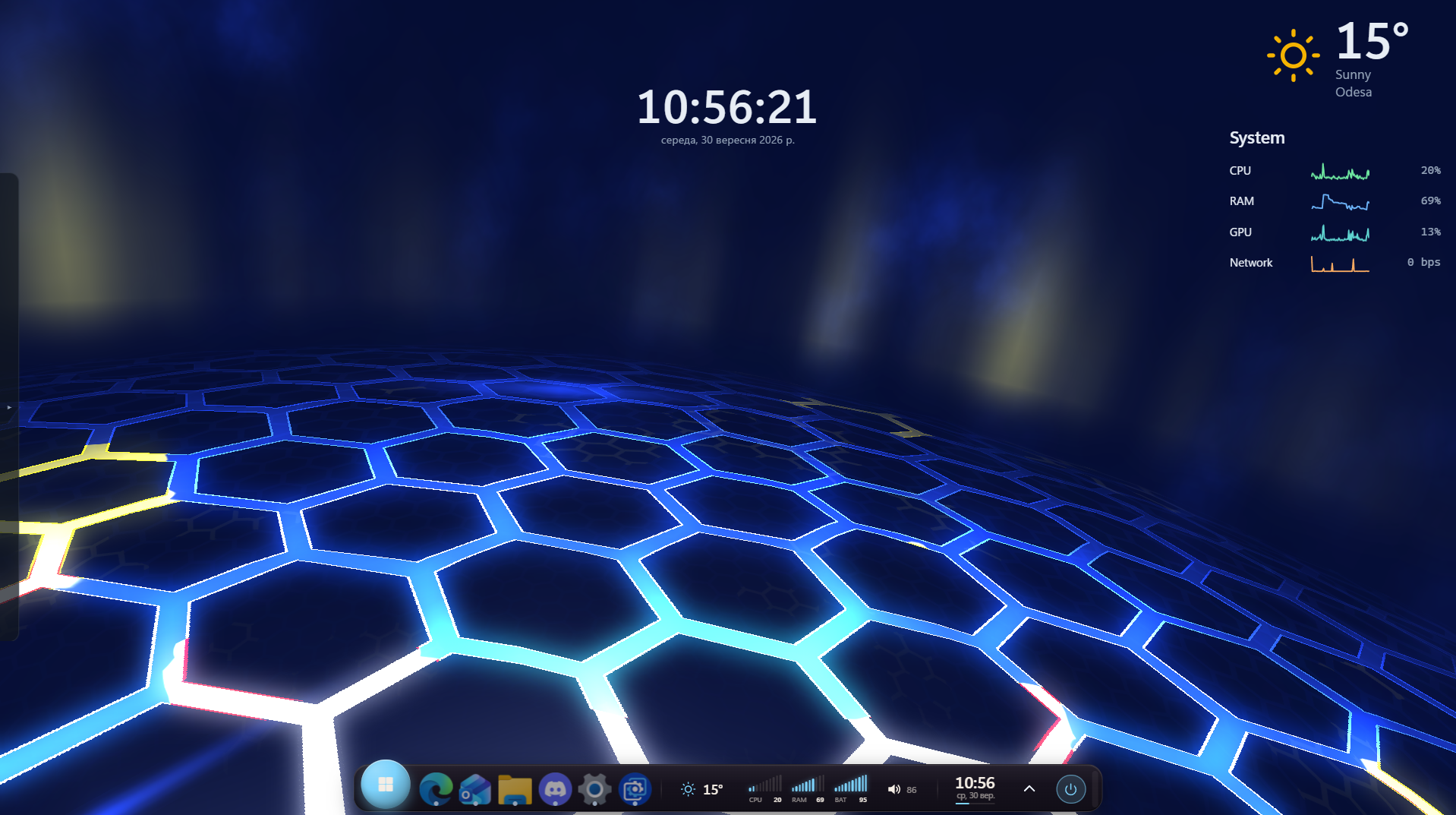
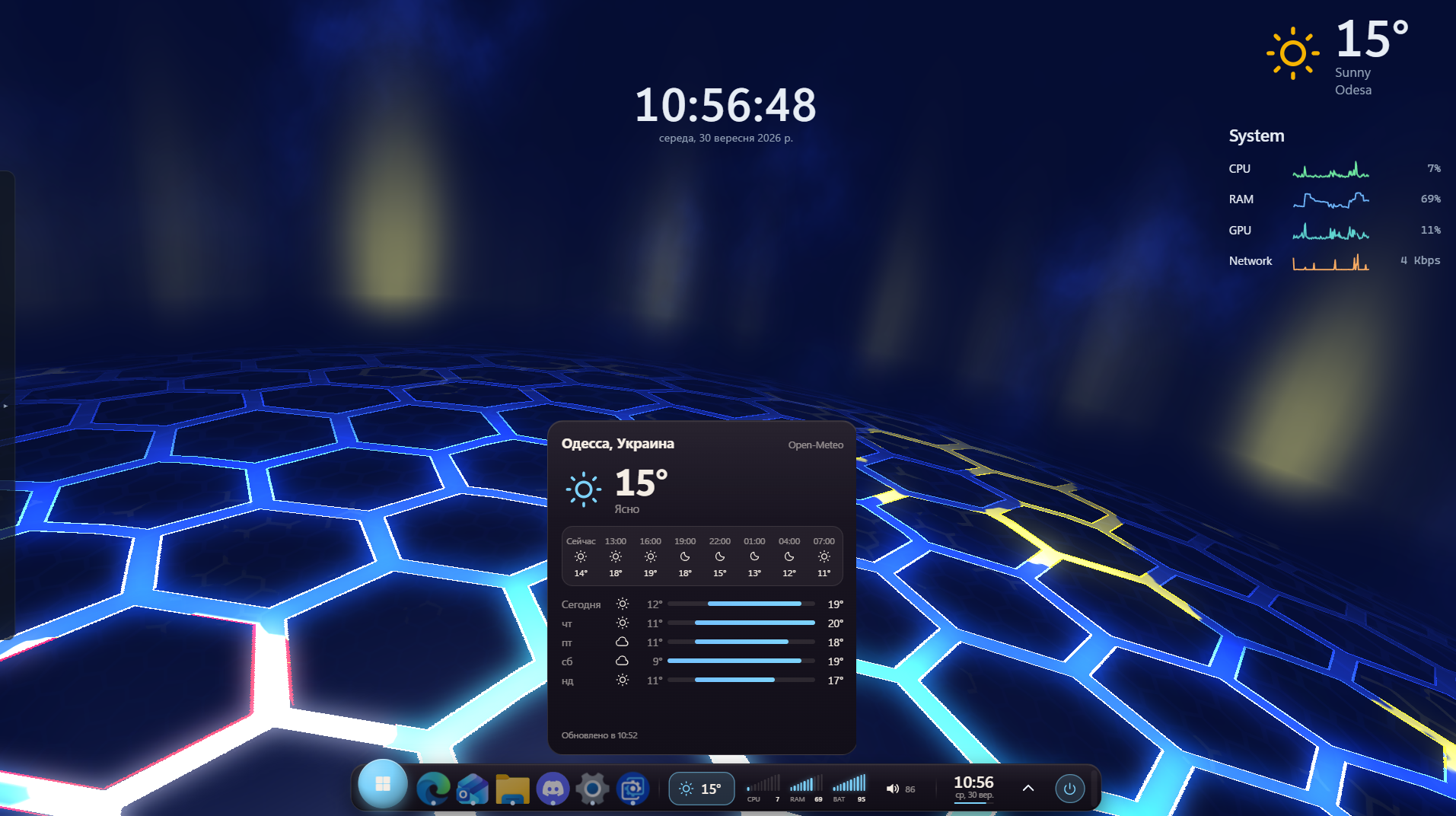

About this taskbar
Meridian
A matte floating taskbar for DeskDash that combines your apps, media, weather, system stats, calendar, timer, volume, Wi-Fi and power controls in one clean interface.
Highlights
Springy app icons with smooth hover magnification and optional cursor-following light beam.
Start button with a large floating design.
Running & pinned apps with drag-to-reorder, window previews, right-click actions and running indicators.
Now Playing with cover art, title, artist, progress and previous/play/next controls.
Weather with current conditions, 24-hour forecast and 5-day outlook. Supports any city and °C/°F.
PC Stats showing CPU, RAM and battery, plus detailed graphs, GPU, disk, network, Wi-Fi and drive usage.
Volume control by mouse wheel, middle-click mute and volume indicator.
Clock, calendar & timer with 12/24-hour mode, optional seconds and timer notifications.
Quick Panel with volume, Wi-Fi networks, lock, sleep, sign out, restart and shutdown.
Show Desktop strip to minimize and restore all windows.
Flexible layout: floating or full-width bar, three icon sizes, idle dimming and custom accent colors.
Fully integrated with DeskDash taskbar features including pins, auto-hide, placement, system tray and per-display behavior.
Customization
Every major feature can be enabled or disabled in Taskbar Settings. Choose which apps, widgets, meters and controls are visible. Meridian respects DeskDash scaling and reduced-motion settings.
Privacy
Meridian does not collect, store or send personal data. Weather information is provided by Open-Meteo. Internet access is used only for weather and city lookup.
What it can access
- internet
Talks to the internet, only to: geocoding-api.open-meteo.com, api.open-meteo.com
- time
Reads the current time from the dashboard's clock
- media
Sees what music or video is playing
- power
Shuts down, restarts (also into advanced startup), sleeps, locks or signs out of this PC
- system
Reads system stats like CPU, memory and battery
- storage
Saves its own data inside the dashboard
- taskbar
Reads your taskbar: open windows, pinned apps and the notification area
- mediaControls
Controls media playback
- notifications
Shows you reminders, even when the widget is hidden
- systemControls
Changes system settings such as volume and the sound device
Settings you can adjust
- Show pinned apps
On or off
- Show the system tray
On or off
- Full-width bar
On or off
- Center the apps (full width)
On or off
- Icon size
One of: small, medium, large
- Keys rise under the cursor
On or off
- Light beam along the top edge
On or off
- Dim the bar when the cursor is away
On or off
- Window previews on hover
On or off
- Mouse wheel over the bar changes volume, middle click mutes
On or off
- Show the volume button (click to mute)
On or off
- Show now playing
On or off
- Track title next to the cover
On or off
- Show-desktop strip at the right edge
On or off
- Show the weather
On or off
- Weather city
Free text
- Temperature units
One of: celsius, fahrenheit
- Show PC meters (click for details)
On or off
- CPU meter
On or off
- RAM meter
On or off
- Battery meter
On or off
- Show the clock
On or off
- 24-hour clock
On or off
- Seconds in the time
On or off
- Seconds line under the clock
On or off
- Calendar and timer on clock click
On or off
- Windows notification when the timer ends
On or off
- Use theme accent color
On or off
- Custom color
A color of your choice
Details
- Version
- v0.4.0
- Size
- 27 KB
- Uploaded
- 2 Oct 2026
- Last updated
- 2 Oct 2026
Version history
- v0.4.0
- 2 Oct 2026 · 27 KB


