
Countdown widget
by deskdash · v0.1.1 · 8 downloads
Widgets install from inside DeskDash.
Time until or since a date, in days, months or years
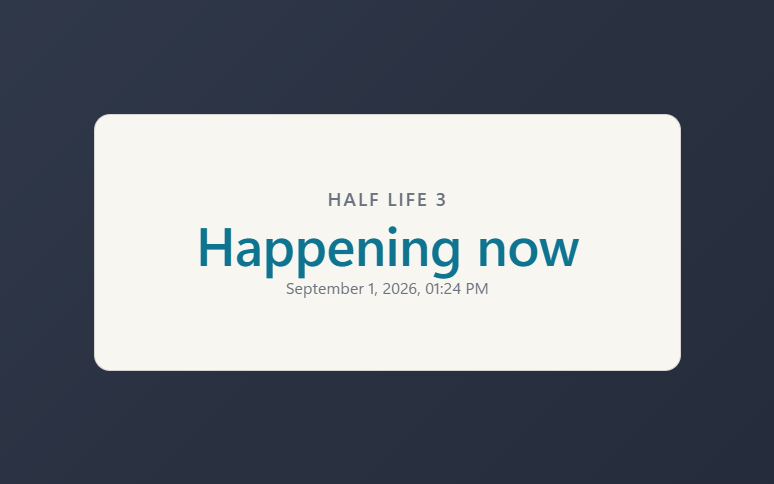
- Counts down, celebrates the moment with confetti, then settles into a quiet count of the time since
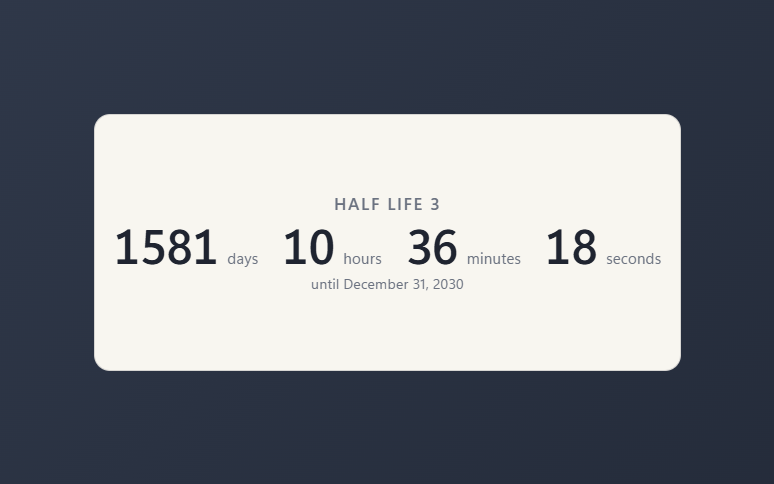
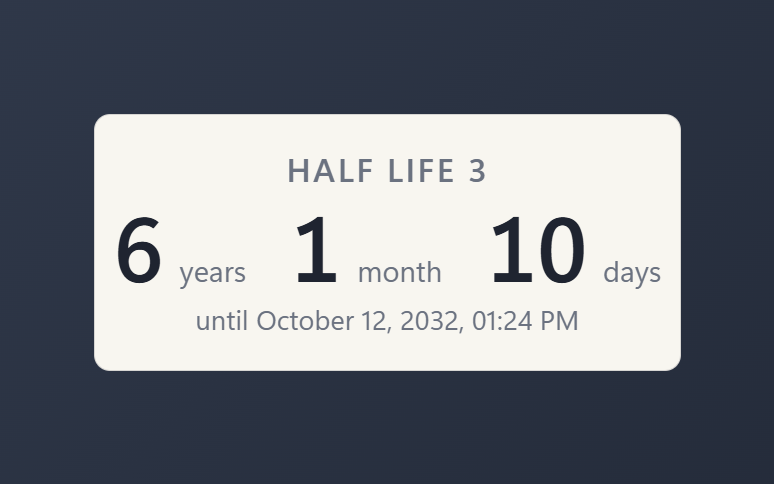
- Four breakdowns: auto, whole days, years and months and days, or a live d/h/m/s tick
- Calendar-correct months and years, so an anniversary lands on the right day
- Date and time of day are picked, never typed, and the time is optional
- Bare, solid, transparent or image card, three text colors, scales with the widget
About this widget
One date, set large on your desktop, with the time until it or since it. Point it at a game release and it counts down; when the moment arrives the tile says Happening now, throws a burst of confetti, and an hour later settles into a smaller count of the time since. Set the direction to Since for an anniversary and it counts up at full size.
Choose how the span is broken down. Auto picks the largest units that carry information, so a date days away reads in days and one years away in years and months. Days gives one plain total. Years gives the full years, months and days. Live adds hours, minutes and seconds and ticks every second.
The date and the optional time of day come from real pickers, so there is no format to get right. Name the event, pick the text color, hide the date line, and let the readout float bare on the wallpaper or sit on a solid, transparent or image card. Display only: clicks pass through to the desktop.
What it can access
- time
Reads the current time from the dashboard's clock
Settings you can adjust
- Event name
Free text
- Date
A date you pick
- Time of day
A time of day you pick
- Count
One of: auto, until, since
- Breakdown
One of: auto, days, years, live
- Show the date
On or off
- Color
One of: text, muted, accent
- Panel style
One of: none, solid, transparent, image
- Background image
A file you pick
- Image fit
One of: cover, contain
Details
- Version
- v0.1.1
- Size
- 12 KB
- Uploaded
- 1 Sept 2026
- Last updated
- 17 Oct 2026
Version history
- v0.1.1
- 17 Oct 2026 · 12 KB
- v0.1.0
- 1 Sept 2026 · 11 KB


