
Now Playing widget
by deskdash · v0.1.1 · 81 downloads
Widgets install from inside DeskDash.
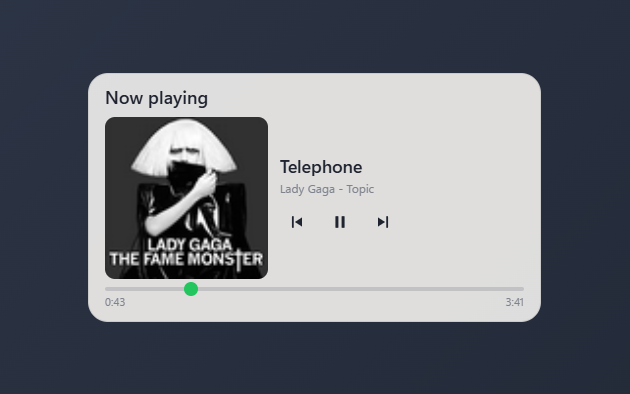
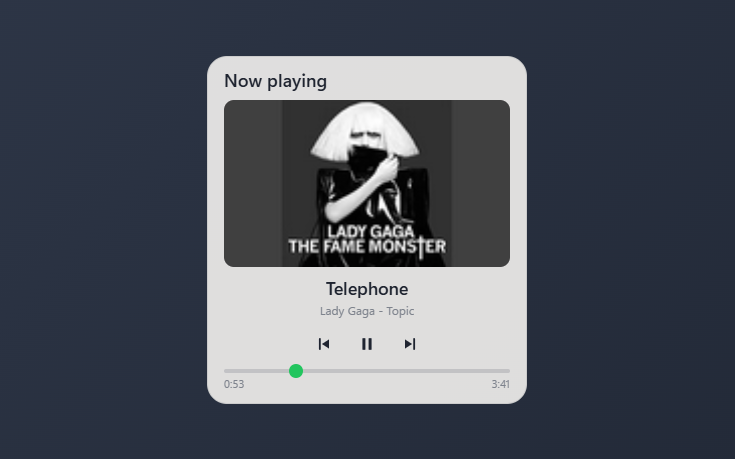
What's playing on this PC: album art, track info, transport controls, seekable progress
- Album art, track title, and the source app or artist for whatever is playing
- Play, pause, and skip previous or next straight from the desktop
- Draggable progress bar that seeks the player, with elapsed and total time
- Follows the active media session and dims controls the app does not support
- Panel style solid, transparent, or none; layout adapts to the tile shape
About this widget
Now Playing shows the media session currently active on your PC: album art, track title, and the artist or app it is coming from. Play, pause, skip to previous or next, and drag the progress bar to seek; the buttons control the real player and dim when the current app does not support an action. It follows whichever session is actually playing, shows a note icon when there is no cover art, and reads Nothing playing when nothing is open. The tile stacks into a card when it is tall and sits side by side when it is wide, and the panel can be solid, transparent, or hidden.
What it can access
- media
Sees what music or video is playing
- mediaControls
Controls media playback
Settings you can adjust
- Panel style
One of: none, solid, transparent, image
- Background image
A file you pick
- Image fit
One of: cover, contain
Details
- Version
- v0.1.1
- Size
- 6 KB
- Uploaded
- 21 Jul 2026
- Last updated
- 10 Aug 2026
Version history
- v0.1.1
- 10 Aug 2026 · 6 KB
- v0.1.0
- 21 Jul 2026 · 5 KB
