
Codex Usage widget
by deskdash · v0.1.0 · 2 downloads
Widgets install from inside DeskDash.
Codex's 5-hour and weekly limit bars, today's tokens by model, and live sessions
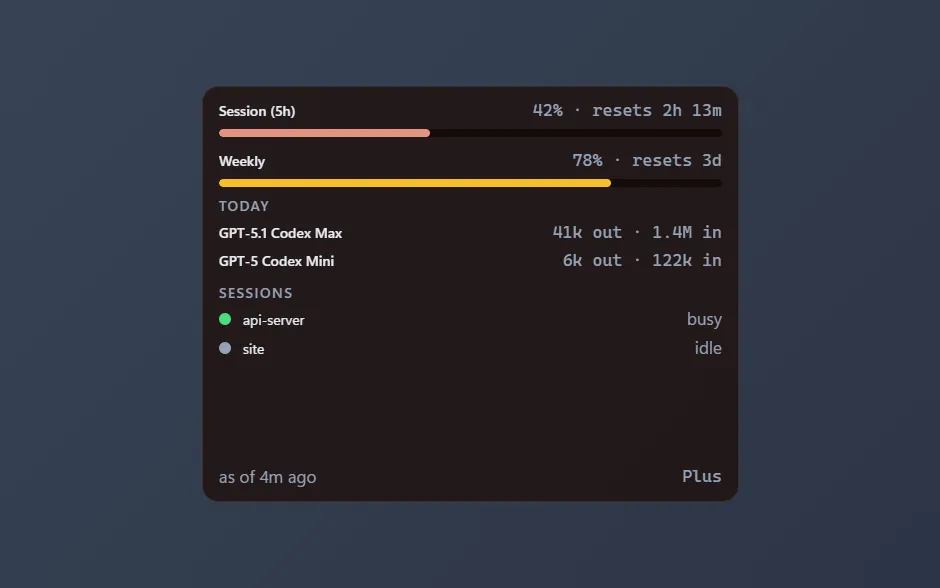
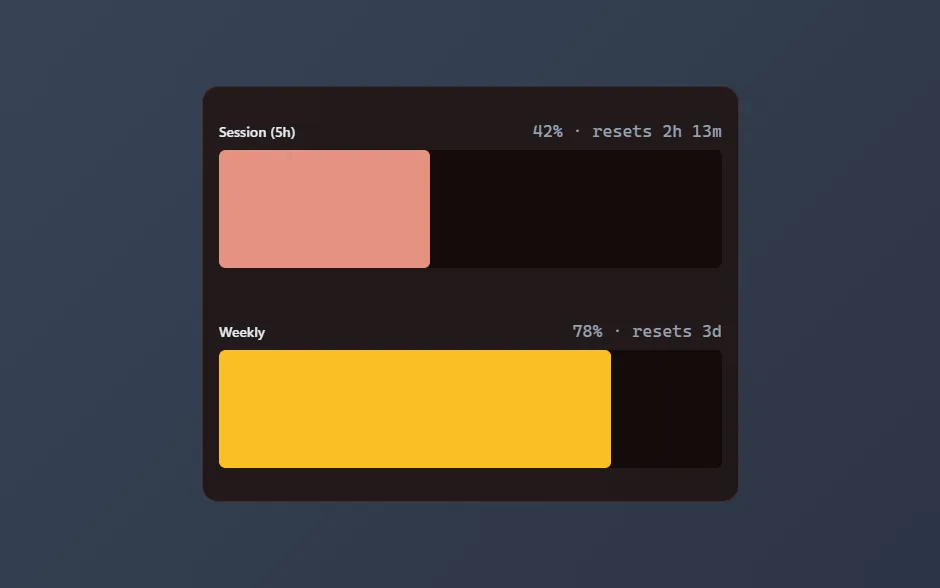
- 5-hour and weekly limit bars from Codex's own records, each with a percentage and a reset countdown
- Today's tokens totaled per model, split into output and input
- Open Codex sessions listed with a busy or idle marker
- Local files only: no network request, and your Codex sign-in is never read
- Full, compact, or bars-only view; theme accent or custom bar color; solid, transparent, or no panel
About this widget
Shows OpenAI Codex's usage limits on your desktop: the 5-hour and weekly windows that Codex's /status reports, each as a bar with a percentage and a reset countdown. A TODAY section totals the tokens each model used, split into output and input, and a SESSIONS list shows your open Codex sessions marked busy or idle. Your plan and credit balance appear in the status line.
The numbers come from the session files Codex writes on your PC, so the widget makes no network request and never reads your sign-in. Codex records its limits after each response, so the bars show the state as of your last Codex turn, and the status line says how old that is. It finds Codex by itself, on Windows or in WSL. A custom folder goes in its settings.
Pick a full, compact, or bars-only layout, set the refresh interval (15 to 300 seconds), and match the bars to your theme accent or a color you choose.
What it can access
- agentUsage
Reads your local Claude Code and Codex usage summaries
Settings you can adjust
- Codex home dir (blank = find it)
A file or folder you pick
- Refresh (seconds)
A number (15 to 300)
- View
One of: full, compact, bars
- Use theme accent color
On or off
- Custom color
A color of your choice
- Panel style
One of: none, solid, transparent, image
- Background image
A file you pick
- Image fit
One of: cover, contain
Details
- Version
- v0.1.0
- Size
- 8 KB
- Uploaded
- 15 Nov 2026
- Last updated
- 15 Nov 2026
Version history
- v0.1.0
- 15 Nov 2026 · 8 KB

