
Claude Usage widget
by deskdash · v0.2.0 · 30 downloads
Widgets install from inside DeskDash.
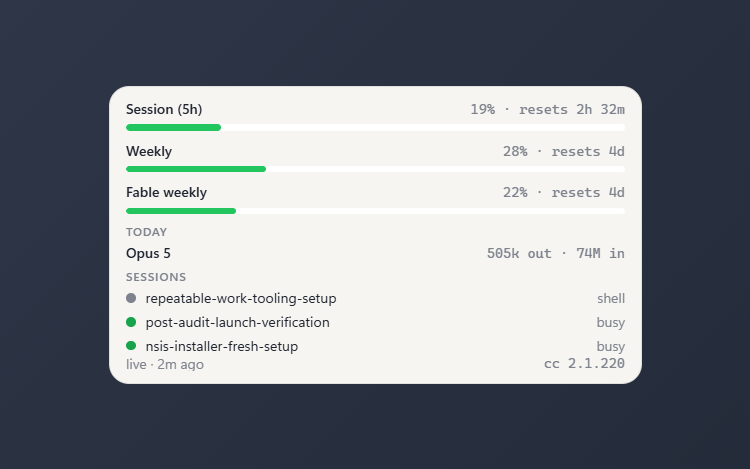
Claude Code's /usage limit bars, today's tokens by model, and live sessions
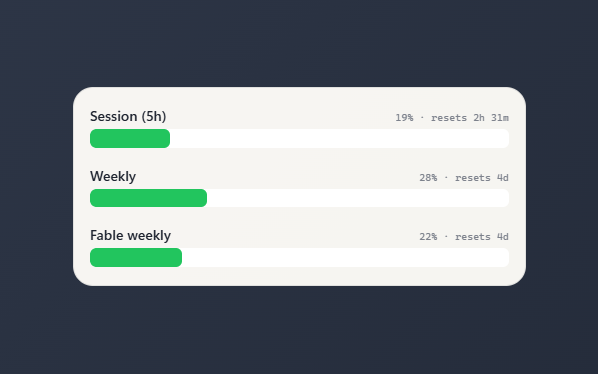
- Limit bars for session, weekly, and per-model windows, each with a percentage and a reset countdown
- Today's tokens totaled per model, split into output and input
- Live Claude Code sessions listed with a busy or idle marker
- Bars run green to red as a limit fills; refresh interval is 15 to 300 seconds
- Full, compact, or bars-only view; theme accent or custom bar color; solid, transparent, or no panel
About this widget
Mirrors Claude Code's /usage right on your desktop: limit bars for your session, weekly, and per-model windows, each with a percentage and a reset countdown. A TODAY section totals the tokens each model used, split into output and input, and a SESSIONS list shows your open Claude Code sessions marked busy or idle. Bars run from green to red as a limit fills, and the tile refreshes on its own so the counts stay current. It finds Claude Code by itself, on Windows or in WSL, so there is nothing to set up. A custom folder goes in its settings.
Pick a full, compact, or bars-only layout, set the refresh interval (15 to 300 seconds), and match the bars to your theme accent or a color you choose.
What it can access
- claudeUsage
Reads your local Claude Code usage summary
Settings you can adjust
- Claude home dir (blank = find it)
A file or folder you pick
- Refresh (seconds)
A number (15 to 300)
- View
One of: full, compact, bars
- Use theme accent color
On or off
- Custom color
A color of your choice
- Panel style
One of: none, solid, transparent, image
- Background image
A file you pick
- Image fit
One of: cover, contain
Details
- Version
- v0.2.0
- Size
- 7 KB
- Uploaded
- 22 Jul 2026
- Last updated
- 26 Oct 2026
Version history
- v0.2.0
- 26 Oct 2026 · 7 KB
- v0.1.1
- 10 Aug 2026 · 7 KB
- v0.1.0
- 22 Jul 2026 · 6 KB
